Ayurvedic software for doctors is practice software that handles the work around the consultation, so the vaidya can concentrate on the consultation itself. Most of a clinic day is not medicine. It is writing histories, finding slots, counting stock and calculating bills. Software takes over that part.
Here is where the time goes in a typical Ayurvedic practice, what a digital tool changes, and what to check before you switch.
Key takeaways
- The biggest saving is repeat work: histories, prescriptions and bills written once instead of many times.
- Ayurvedic documentation (Prakruti, Parikshan, Samprapti) should sit inside the record.
- Follow-ups and reminders are where digital tools quietly pay for themselves.
- You do not need to move everything on day one. Start with today’s patients.
Where a vaidya’s day actually goes
- Writing: histories and prescriptions, often repeated at each visit.
- Calling: finding a slot, confirming a visit, reminding a patient.
- Counting: medicines, batches and expiry dates.
- Calculating: bills, tax and part payments.
- Searching: finding an old visit in a pile of files.
The For Doctors page sets this out side by side: the same task done the old way and with VaidyaPlus.
What changes with a digital practice tool
Records you review, not retype
Each patient has one record. Past visits are listed by date, so you review what happened last time and carry medicines forward when they still apply.
Prescriptions that are complete the first time
The prescription is completed on screen, with Ayurvedic examination fields when needed, then printed or shared by WhatsApp or email. On plans with a pharmacy, the medicines go straight to the pharmacy queue.
Parikshan inside the consultation
Prakruti, Ashtavid, Dashvid and Srotas Parikshan and Samprapti analysis are recorded with the visit, so a personalised plan lives in the same place as the prescription.
Therapies and diet charts
A catalog of therapies with room, slot, duration and price, multi-day plans, and diet charts for different diseases, all linked to the patient.
Follow-ups that do not depend on memory
The dashboard lists follow-ups and scheduled therapies for the day. Reminders go out by SMS or WhatsApp.
Common worries about going digital
“My staff will find it hard.” Staff get access only to the screens you choose, which keeps the interface simple for each role.
“I type slowly in English.” VaidyaPlus has nine interface languages and a phonetic typing assistant.
“What if I do not like it?” Book a demo first. We show the screens that matter for your kind of practice before you decide.
Choosing software as a doctor
Ask to see your own workflow on the screen: a consultation, a prescription, a therapy booking and a bill. If the demo cannot show those cleanly, keep looking. Read the feature list and the plans to compare.
Try it on a day from your own clinic
Book a short demo and see the screens that matter for the way you practise.
Frequently asked questions
Is Ayurvedic software only for large clinics?
No. Solo Vaidya is built for a single doctor with a single clinic and up to 3 staff.
Can I record Prakruti and Parikshan?
Yes. Prakruti, Ashtavid, Dashvid and Srotas Parikshan and Samprapti analysis can be recorded with the visit.
Does it work on my phone?
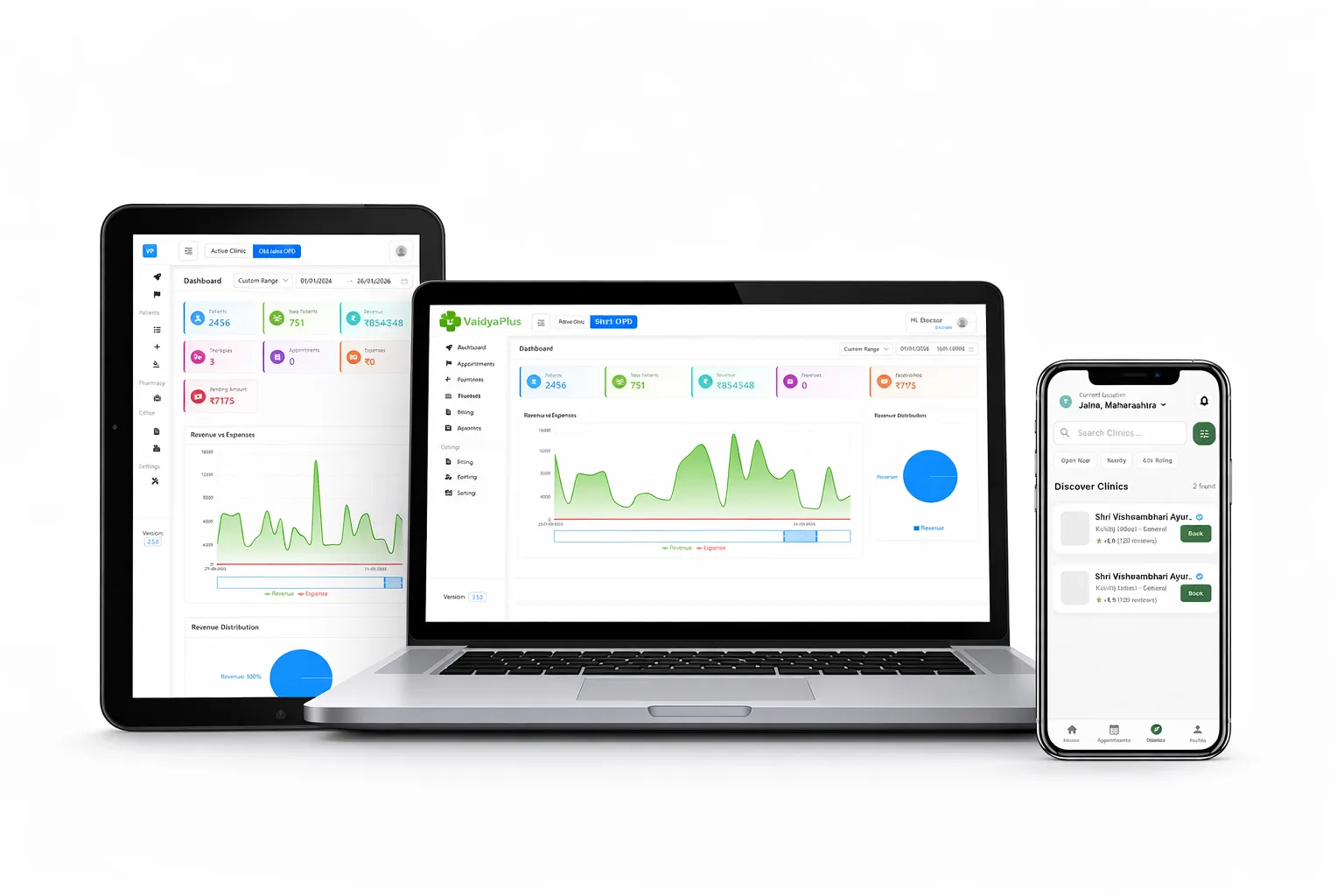
Yes. VaidyaPlus runs in the browser on a laptop, tablet or phone.
Can patients get their prescriptions on WhatsApp?
Yes. Prescriptions, diet charts and bills can be shared by WhatsApp, email or the VaidyaPlus app.